


Monster Remix Beat Maker
3.213.00 Reviews
App Specs
- Version
- 0.4.6
- Updated On
- License
- Free
- Downloads
- 1,000,000+
- Developer
- Brocker Bus Studio
- Categories
- Music
- Platform
- Android
Screenshots
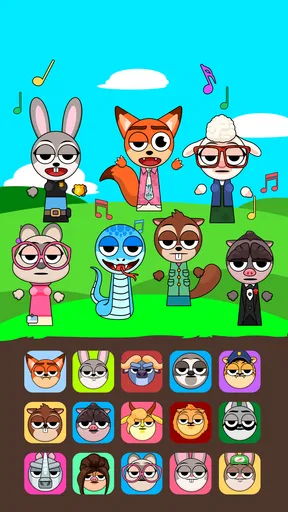
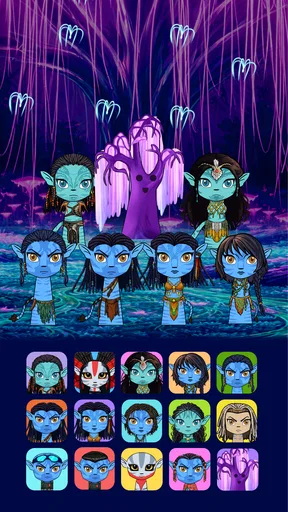
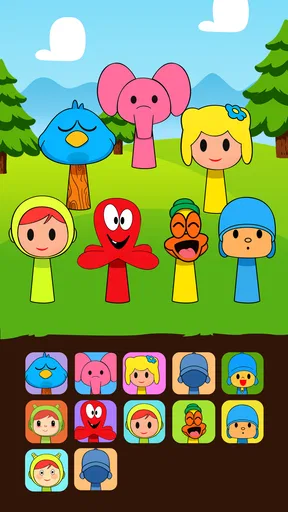
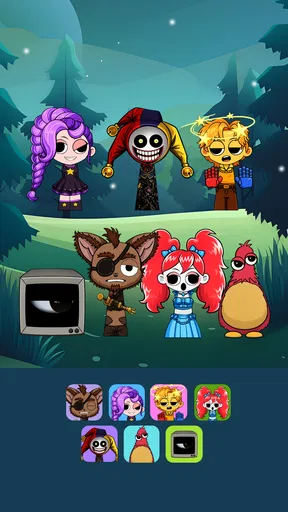
 Analysis by AppCompare
I tried Monster Remix Beat Maker as a playful music game rather than a serious production tool, and that distinction matters. Its appeal is the mix of beat-making and silly monster performers: you can poke at sounds, see what combinations feel fun, and enjoy a small creative activity without needing to approach it like a studio session. I’d consider it for a shared device when people want a quick, lighthearted turn, though I wouldn’t choose it as a replacement for a full music-making app.
A quick turn can become a shared activity
In a household setting, the game works best when everyone treats a session as a short experiment. One person can try a rhythm, another can suggest a different sound, and the group can decide whether the result feels spooky, silly, or surprisingly catchy. The monsters give the activity a visual focus, which can help younger players stay interested even if they are not yet thinking in terms of rhythm or arrangement.
A realistic use is a few minutes after school or while waiting for dinner: one person makes a beat, then passes the device to someone else to try a different combination. That kind of informal handoff is more natural here than asking everyone to learn music-production terminology. I’d still agree on turns beforehand, since a shared screen can make it easy for one enthusiastic player to keep experimenting while someone else waits.
Keep the device and account boundaries clear
Because this is a game that invites repeated tapping and experimentation, I’d set a simple expectation before handing over a shared phone or tablet: use the game only, ask before making a purchase, and return the device when the agreed turn is over. The game is free to start, but it includes in-app purchases priced from $14.99 to $28.99 per item, so purchase approval is worth discussing with anyone who might tap through prompts.
I would also treat creations and any sharing options as belonging to the person using the device at that moment, rather than assuming that different household members have separate spaces. If several people take turns, agree on whose session is active and whether a creation is meant to be kept or shared. That small bit of coordination avoids confusion without turning a casual music game into a household rules project.
Good for playful discovery, not detailed music work
The most useful way to approach the beat-making is to change one thing at a time. If you alter several sounds at once, it becomes harder to tell which choice improved the rhythm or made it messy. I’d start with a simple pattern, listen to how it feels, then add or swap one element. That turns random tapping into a small creative challenge and makes it easier for a beginner to notice how layers affect the overall sound.
That workflow also helps when players have different tastes. Someone who likes heavier sounds can make one version, while another person can try a lighter or more comic direction, then compare the results. The point is not to settle on a technically perfect track; it is to make the contrast audible and enjoy the process. If a player wants precise editing, a broad instrument library, or a more conventional way to build a song, a dedicated music-production app is likely a better fit.
Worth Reading Before You Choose

EA SPORTS FC Mobile 26 Is a Bigger Football Game, but It Takes Time

Flipboard Shows What News Apps Must Do Beyond the Feed

Switching to Android Auto Means Rethinking Your Driving Routine

Google Calendar Makes a Crowded Week Easier to Manage

Ludo King Makes the Most of the Minutes Between Plans

Baby Panda World Brings Quick Play to Modern Phones, but Its Game Library Feels Busy
Age, expectations, and trust
The game has a Teen content rating, so I would check that age context against the preferences of the person who will use it, especially if the device is shared with younger children. Its monster theme is playful, but the rating is a useful reminder not to judge suitability from the cartoon look alone. For a household, I’d make the decision with the actual player in mind rather than assuming that every child will respond to the same style in the same way.
It is also worth setting expectations around online interaction before exploring any social or sharing elements. I wouldn’t assume that a child understands who might see a shared creation or what information an account may involve. A quick adult check of the options, followed by a clear agreement about whether sharing is allowed, is more sensible than treating the game’s playful presentation as a substitute for supervision.
As a music game from Brocker Bus Studio, it sits between a rhythm toy and a lightweight creative activity. That is a useful middle ground for people who want to make something rather than simply follow a fixed song, but it is not the same as a rhythm game built around accurate timing and progression through tracks. If the main goal is practicing timing against familiar songs, I’d look at that style of game instead; if the goal is freeform sound play with a comic visual hook, this one makes more sense.
Getting Started with Your Beat Journey
The first thing you'll notice is how easy it is to dive into the world of Monster Remix Beat Maker. The app welcomes you with a vibrant interface that screams "let's get this party started!". Setting up is a breeze, and before you know it, you're ready to create some monster beats.
The app offers a neat tutorial for beginners. I found it super helpful, especially if you're new to music creation apps. It covers the basics without overwhelming you, making sure you get the most out of your experience. The user interface is intuitive, with everything you need just a tap away. So whether you're a seasoned DJ or just starting, you'll feel right at home.
Unleashing Your Inner DJ
Now, let’s talk about the real fun—making beats! The app provides a wide variety of sound packs, from electronic to hip-hop, ensuring you have all the tools to craft the perfect track. I loved the drag-and-drop feature, which makes it super easy to layer sounds and create complex beats effortlessly.
One of my favorite features is the ability to mix and match different sound effects. It’s almost like cooking, where you experiment with flavors until you find that perfect combination. The app also allows you to record your creations, so you can share your monster mash-ups with friends or keep them for future playlists.
Monster Mash-Ups
What sets this app apart is the quirky addition of monsters. As you create beats, you can summon and customize monsters to dance along. It adds a playful twist that keeps the creative juices flowing. The more you experiment with different beats and rhythms, the more monsters you unlock. Each monster has its own unique dance style, making the experience even more entertaining.
The app encourages you to explore your creativity, and the monster animations are a delightful reward for your musical endeavors. It's a fun way to keep you motivated and engaged as you explore the endless possibilities of beat-making.
Sharing and Competing
Once you've created your masterpiece, the app makes it easy to share your tracks with the world. You can connect with other users, share your beats, and even collaborate on projects. It's like having a community of music enthusiasts right at your fingertips.
The competitive aspect of the app is also intriguing. You can participate in weekly challenges to test your skills against other users. These challenges are a fantastic way to push your creativity to the limits and learn new techniques from fellow beat-makers.
What to expect before installing
This is a free music game, currently at version 0.3.9, with a minimum operating-system requirement of 8.0. Its average rating is 3.4 from around one thousand ratings, and it has over one million installs. I’d read that as a sign of broad curiosity, not a guarantee that every player will enjoy the same experience. The version number also makes me approach it as a developing game: I’d focus on whether its current creative loop suits me rather than expecting the depth or polish of a mature music workstation.
If you are deciding whether it belongs on a shared device, consider the difference between casual access and personal ownership. A quick turn is easy to coordinate, but a household should be clear about who can make purchases, who decides whether to share a track, and whether one person’s experiments should be left untouched. Those are practical boundaries for any creative game on a common device, especially when paid items are available.
Where it fits among music apps
Compared with a conventional beat-making app, the monster theme makes the activity feel less like arranging a track and more like playing with sound in a character-driven toybox. That can lower the barrier for a first-time creator: there is an immediate visual payoff, and experimentation does not have to begin with a plan for a finished song. In contrast, someone who wants fine control over tempo, detailed editing, or a workflow aimed at exporting polished music may be better served by a dedicated production tool.
It also differs from a standard rhythm game. Rather than making the central appeal the challenge of hitting timed notes along to a song, the draw here is shaping a beat and seeing the monsters respond. I’d choose based on what the player wants to do: follow a musical challenge, use a serious composition workspace, or simply make playful combinations. This one is most compelling for the third option.
Who will enjoy it—and who may not
I’d recommend it to people who enjoy experimenting without worrying about musical expertise, and to friends or family members who can take turns and laugh at the results. It may also suit someone who wants a small creative break rather than a long session. A useful personal challenge is to make two noticeably different versions from the same starting idea; it encourages listening and deliberate choices without requiring a formal lesson.
I’d skip it if you need a dependable tool for serious composition, want a purely song-based timing challenge, or dislike games that mix creative play with purchase options. It may also be a poor fit for a household that cannot agree on device turns or sharing boundaries. Those are not reasons the game is inherently bad; they simply change whether its playful, open-ended style is convenient for your situation.
Wrapping Up the Beat Party
All in all, Monster Remix Beat Maker is a blast. It's more than just an app; it's a creative platform that encourages you to experiment, learn, and have fun. The combination of beat making and monster animations makes it a unique experience that stands out from other music apps.
Whether you're looking to create the next big hit or just want to have a good time messing around with sounds, this app has you covered. So go ahead, unleash your inner DJ, and let those monsters groove to your beats. Happy mixing!
Pros
- Intuitive interface for easy mixing.
- Wide range of sound effects available.
- Regular updates with new features.
- Supports exporting to multiple formats.
- Offers tutorials for beginner users.
Cons
- Limited free version features.
- Some sound packs are paid.
- Occasional in-app ads.
- High RAM usage on older devices.
- Requires internet for full functionality.
FAQs for Monster Remix Beat Maker
What is Monster Remix Beat Maker?
Monster Remix Beat Maker is a dynamic music creation app that allows users to produce and remix tracks using a variety of beats and sound effects. It provides an intuitive interface suitable for both beginners and experienced music producers, offering a wide range of samples and tools to unleash creativity.
Is Monster Remix Beat Maker free to use?
The app offers a free version with basic features, allowing users to experiment with a limited set of tools and sound samples. For a more comprehensive experience, including access to premium beats and advanced editing tools, users can opt for in-app purchases or a subscription model.
What features does Monster Remix Beat Maker offer?
Monster Remix Beat Maker comes with a diverse library of sound samples, customizable beats, and real-time effects. Users can mix and match these elements to create unique tracks. The app also includes a user-friendly interface, multi-track editing, and export options to share your creations on various platforms.
Is Monster Remix Beat Maker suitable for beginners?
Yes, the app is designed to cater to both beginners and seasoned producers. It offers an intuitive interface that simplifies music creation, along with tutorials and tips to guide new users through the process of making and remixing beats, making it accessible for users of all skill levels.
Can I share my creations from Monster Remix Beat Maker?
Absolutely! The app provides multiple export options, allowing users to easily share their finished tracks on social media platforms, or save them on their devices. This feature makes it simple to showcase your musical creations to friends, family, or a wider audience.


